Wavebank

Sounds no one has heard before.

808s, drums, one-shots, melodies and loops, synthesized from scratch on your device from a single number. No AI, no samples, nothing to clear. For iPhone, iPad and Mac.

Download on theApp StoreSee the plans
  • iPhone
  • iPad
  • Mac

One app for all three, with your plan on every device · No AI · No accounts · No ads · No tracking

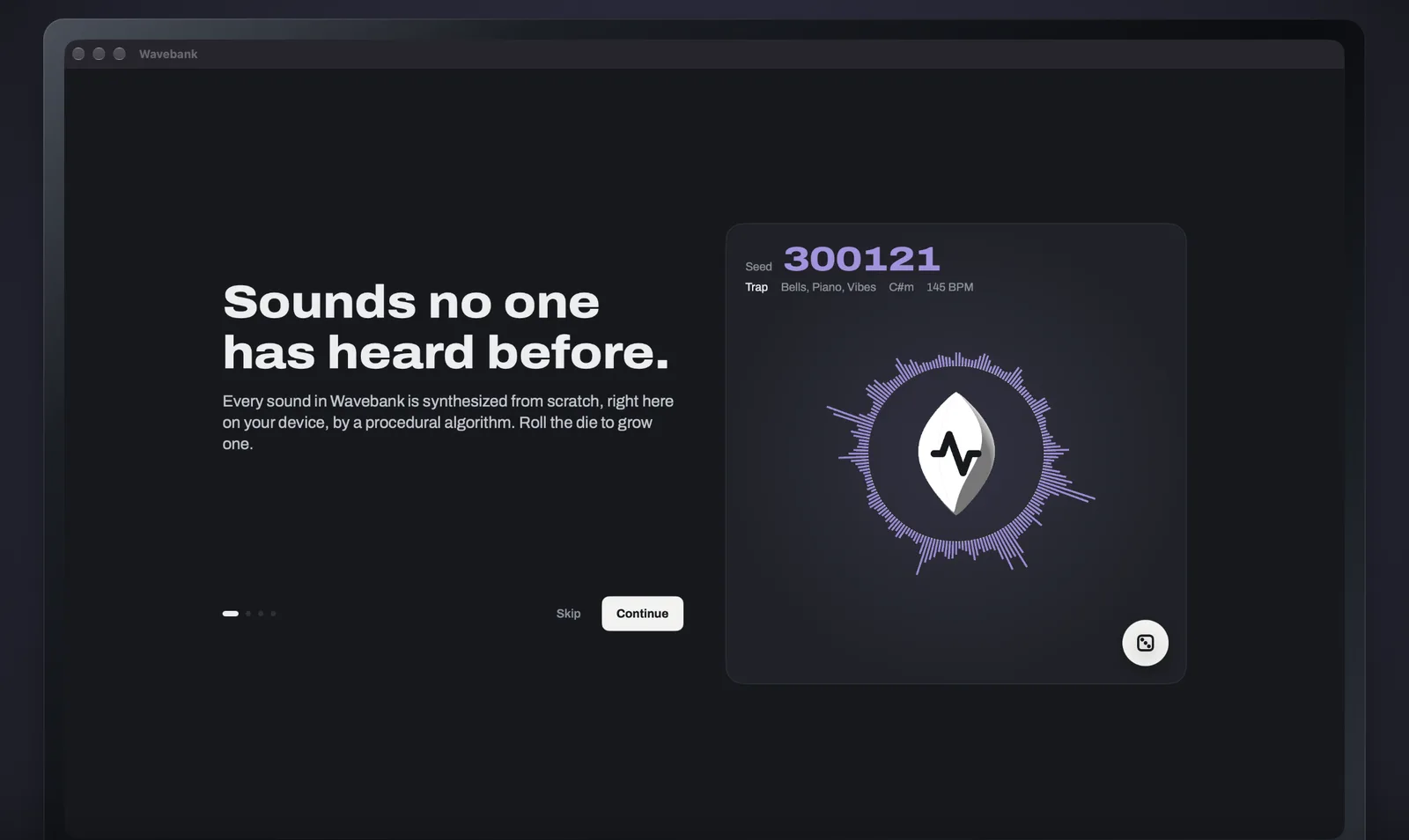
Seed300121

Trap · Bells, Piano, Vibes · C#m · 145 BPM

Same seed, same sound24-bit WAV

What it makes

Everything a beat needs.
The bank never runs out.

Drums and one-shots in Sounds; melodies and samples with their key and tempo, ready to flip. Load ten more of any category, again and again.

  • 808s
  • Kicks
  • Snares
  • Claps
  • Hi-hats
  • Open hats
  • Cymbals
  • Percs
  • FX
  • One-shots
  • Vocal chops
  • Textures
  • Melodies
  • Samples & loops

StylesTrapDrillBoom BapPhonkHyperpopLo-FiAll at once

How it works

Some seeds grow
into gems.

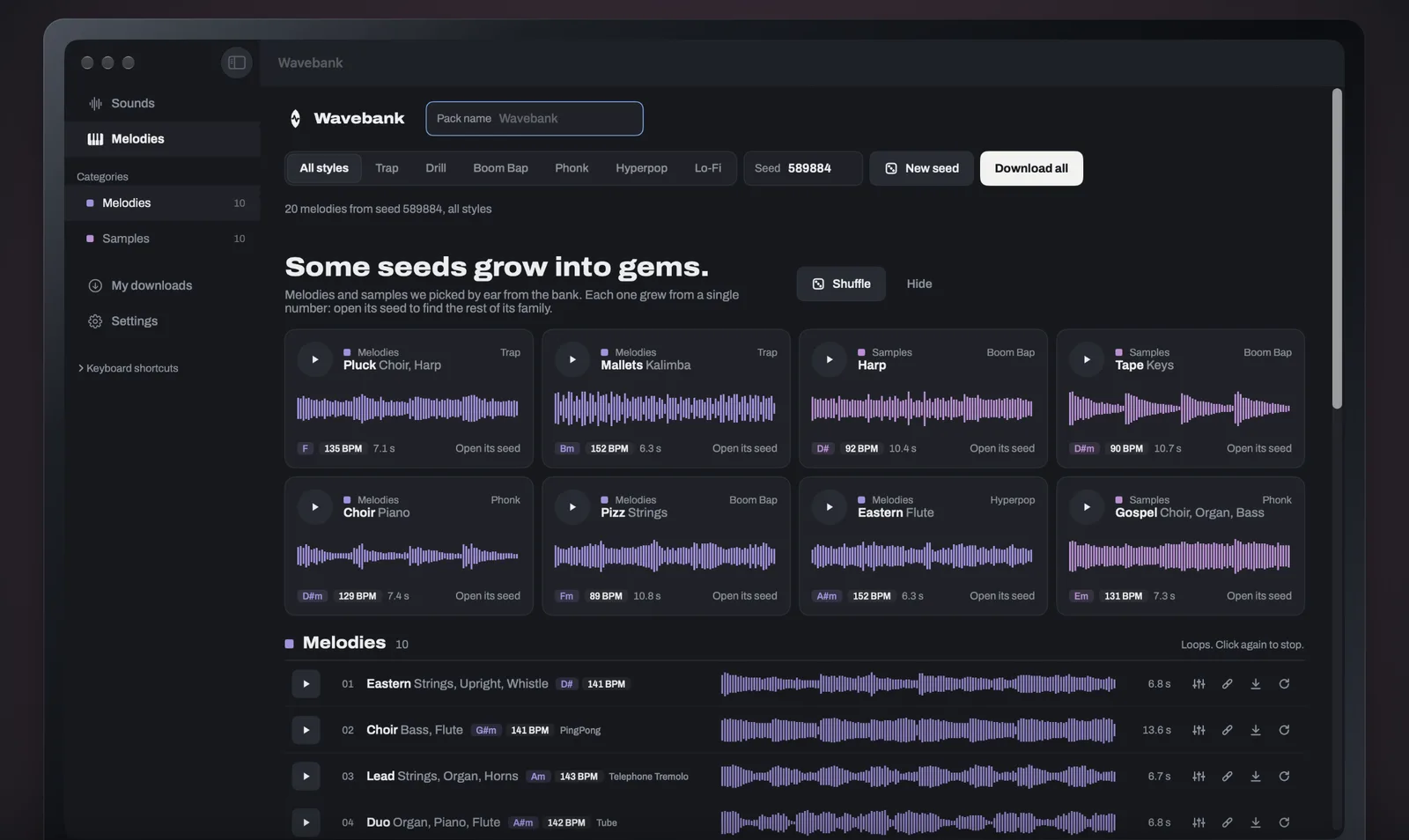
Wavebank keeps no library. Every sound is grown from a seed and synthesized right on your device: just math, randomness and a number. Copy a sound's ID and anyone can grow exactly the same sound again.

  1. 01A numberEvery sound starts as a seed: a number, a style and a category.
  2. 02Synthesized on your deviceOscillators, noise, envelopes and effects, built from scratch in real time. Nothing is downloaded, nothing is sampled.
  3. 03Yours to keepDownload it as a 24-bit WAV. The same seed grows the same sound on any device, so you can always find it again.
No AI.No models, no training data, nothing learned from anyone's music.
No samples.No recordings of anyone. Nothing is sampled, so there is nothing to clear.
On your device.Sounds are made on your iPhone, iPad or Mac. Nothing about what you make is sent anywhere.

Built for producers

From the app
to your DAW.

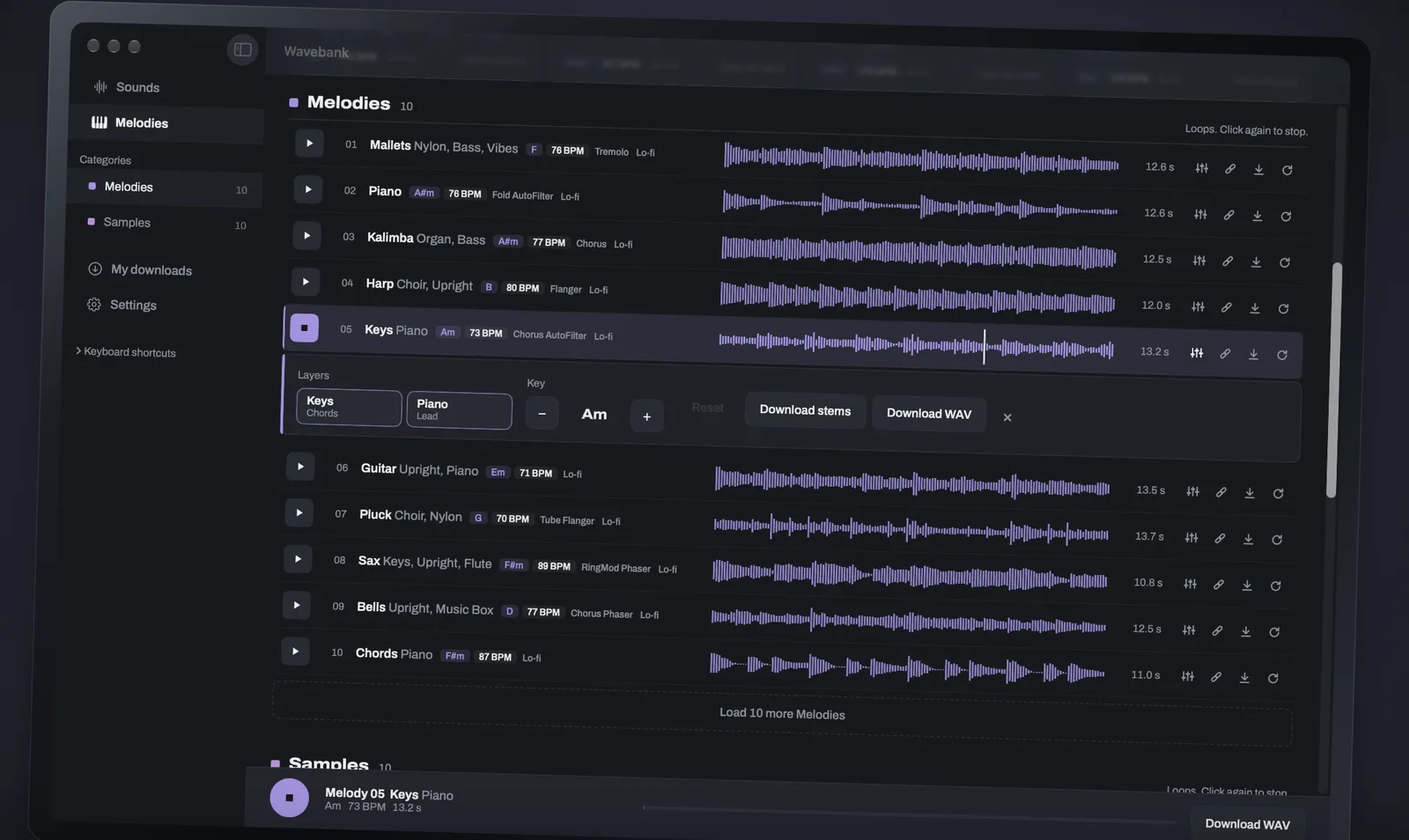
  • Layers, key and stemsOpen any loop: mute or solo each instrument, move it up or down six semitones without changing the tempo, and download the stems.
  • 24-bit WAVEvery download is a 24-bit WAV, ready for any DAW.
  • Drag into your DAWOn iPad and Mac, drag a sound from its row straight into your DAW or the Finder. On iPhone, share it to Files or your music apps.
  • Keyboard shortcutsOn Mac, audition a whole kit in seconds without touching the mouse.
  • The bank never runs outLoad ten more of any category, again and again, or grow a new take on any sound in one tap.
  • Synced with your iCloudFavorites and download history follow you to every device, through your own iCloud.
  • Wavebank on Mac: a list of 808s, each with its waveform in red, its note and its length, with kicks below

    808s, drums and one-shots

  • A melody's layers open in Wavebank: Keys and Piano toggles, the key set to A minor, and buttons to download the stems or the WAV

    Mute, solo, change the key

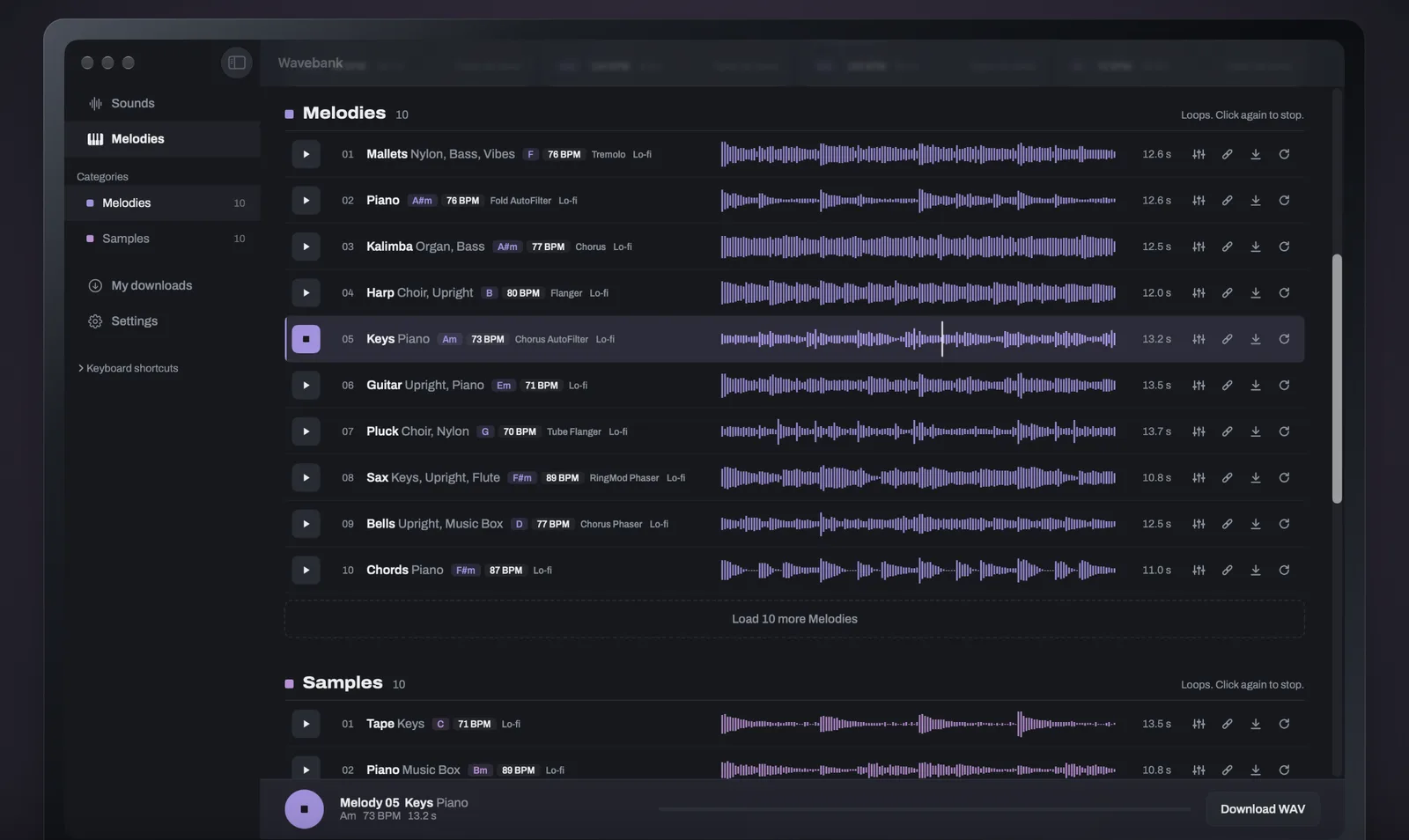
  • A list of ten melodies in Wavebank, each with its instruments, key, tempo and violet waveform

    Melodies and loops, ready to flip

  • Wavebank's picks: a grid of melodies and samples grown from single seeds, each with its style, key and tempo

    Some seeds grow into gems

Plans

Listen free.
Download with a plan.

Listening to every sound is free and unlimited. Plans are for downloading, and for releasing what you make.

Free

$0

  • Listen to everything, unlimited
  • 10 downloads a month, from Sounds
  • Non-commercial use only: practice, demos, anything you don't release or earn from
A mint glass seed with a sprout

Starter

$5.99

a month, or $59.99 a year

  • 300 downloads a month
  • Melodies, samples and stems
  • Commercial use: release and sell your music, royalty-free
A violet seed wrapped in layers of waveform

Pro

$9.99

a month, or $99.99 a year

  • 750 downloads a month
  • Melodies, samples and stems
  • Commercial use: release and sell your music, royalty-free
A titanium and gold seed on a pedestal

Business

$999.99

a year

  • Everything in Pro
  • The business license for one person in a company with more than 5 people or over $1M a year

Prices in US dollars; the App Store shows them in your currency. Downloading again something you already downloaded is always free. Starter and Pro are monthly or yearly subscriptions and Business a yearly one; they renew automatically until cancelled, at least 24 hours before the end of the period, and are charged to your Apple Account. Freelancers, one-person LLCs and companies with 5 people or fewer and under USD 1M a year are covered by Starter and Pro.

The Sound License, in short

Royalty-free.
Nothing to clear.

  • You can use the Sounds in your music, videos and games, and with a paid plan release and sell what you make. No royalties, no credit.
  • Free is for trying. On the free plan the Sounds are for non-commercial use only: practice, demos and anything you don't release or earn from.
  • For you and small companies. Your own company is covered while it has 5 people or fewer and makes under $1M a year. Bigger companies, and work for them, need Business.
  • You can't sell or give away the Sounds themselves: no sample packs, kits or libraries, and no training AI with them.
  • Nothing to clear. There are no samples or recordings of anyone in them.

This is a summary. The binding terms are in the Wavebank Sound License.

Support

Questions.

What do the plans include?

Free lets you listen to everything and download 10 sounds a month from Sounds, for non-commercial use. Starter (300 downloads a month) and Pro (750 a month) add melodies, samples, stems and commercial use. Business is Pro plus the business license for one person in a larger company.

Can I release and sell music made with Wavebank?

Yes, with any paid plan, royalty-free and with no credit needed. The free plan is for non-commercial use. The full terms are in the Sound License.

Do I need Business?

Only if you work for, or make music for, a company with more than 5 people or over USD 1M a year. Freelancers, one-person LLCs, small studios and labels are covered by Starter and Pro.

Does downloading a sound again count?

No. Downloading again something you already downloaded is always free.

How do I restore my purchases?

Open the plans screen in Wavebank and tap Restore purchases, signed in with the same Apple Account you subscribed with. Your plan works on iPhone, iPad and Mac with that account.

How do my favorites and downloads sync?

Through your own iCloud: favorites, your download history and the month's download count follow you to every device signed in to the same Apple Account, with iCloud on. We can't see any of it.

How do I cancel my subscription?

Subscriptions are managed by Apple. On iPhone or iPad, open Settings, tap your name, then Subscriptions. On Mac, open the App Store, click your name, then Account Settings and Subscriptions. Apple's guide.

Is there any AI in it?

No. There is no AI, no recorded samples and no training data in Wavebank: every sound is synthesized from scratch on your device, from a seed.

Need a hand?

Write to us about anything: a problem with the app, your plan, the license, or a countersigned contract for Business. We answer every email.

hello@banshee.pro

Some seeds grow into gems.

Download on theApp Store
  • iPhone
  • iPad
  • Mac